

With the release of Simple Estimate version 1.3.15, you gain new tools to deliver quotes with unmatched accuracy and detail, reflecting the true scope of your projects. With these latest enhancements, you can create quotes that precisely reflect your project’s true scope, helping you manage timelines and budgets with greater confidence. Here’s what’s new!
1. Decimal Support for Estimates and Monthly Settings
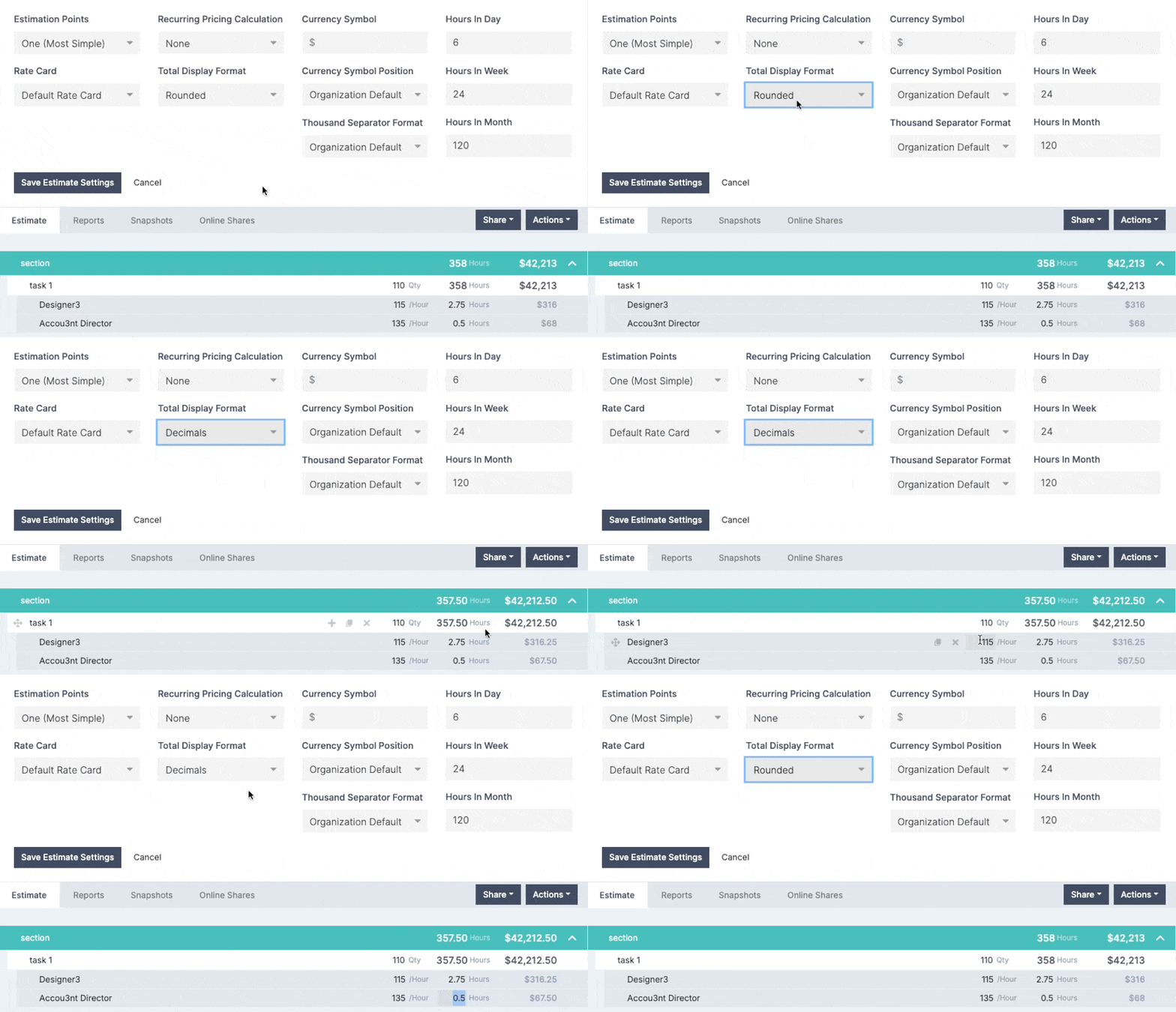
Now, Simple Estimate includes decimal support across both Estimate and Monthly Settings, letting you fine-tune values down to fractions. Whether setting specific time units or calculating exact pricing rates, this added precision enhances the accuracy of your quotes.
Example: Instead of rounding up or down, you can set a task duration to 2.75 hours or define a rate down to the cent. This refinement ensures your clients see quotes that precisely reflect each cost and timeframe, building trust through transparency.
2. Estimate Breakdown by Minutes with Increased Decimal Precision
For projects requiring precise time tracking, our new Estimate Breakdown by Minutes feature offers unparalleled control. Now, you can break down estimates by minutes with enhanced decimal precision, enabling you to quote tasks down to the exact minute.
This feature is fully customizable at both the company and individual estimate levels, giving you the flexibility to set the detail level based on each project’s unique requirements. Whether you need a broad overview or a meticulous breakdown, this feature ensures your quotes match the level of detail your project demands.

Benefits for Your Estimating and Quoting Process
- Greater accuracy: decimal support ensures that you can provide precise time and cost estimates, leaving no room for guesswork.
- Detailed time breakdown: the ability to break estimates down by the minute ensures your quotes reflect the exact time needed for each task.
- Adaptable to projects: these updates provide flexibility for different types of projects, allowing you to choose the level of detail necessary for each quote.
How to Get Started
These features are available for use today. To edit an existing estimate, click on “Edit Estimate Settings” and choose the “Total Display Format.” For a company-wide setting, go to the upper-right menu, select “Settings,” and set the “Total Display Format” to Decimal.

